Jjewel
A native Mac client for the Jujutsu version control system
Download Jjewel Have a Question?Current version: 0.7.1
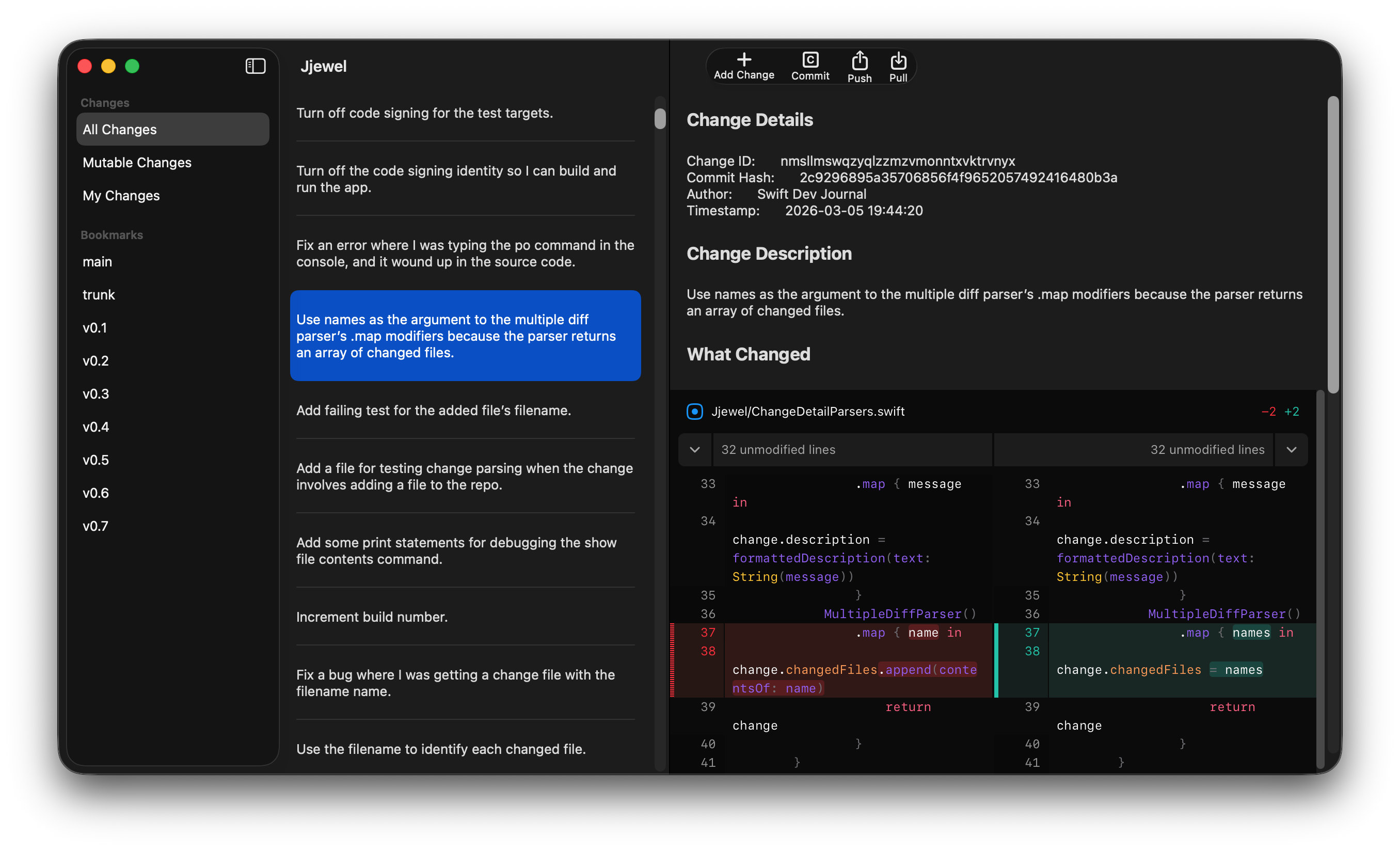
Jjewel provides a GUI for the Jujutsu version control system. Use Jjewel to perform the most common version control tasks and spend less time entering Terminal commands.
Jjewel is a native Mac app written in Swift using Apple’s technologies. This means Jjewel runs faster and uses less memory than an Electron app. Jjewel has menu items and keyboard shortcuts along with support for both light and dark mode.
Push Changes Without Manually Setting Bookmarks
Are you tired of manually setting a bookmark every time you push to GitHub? With Jjewel you can press Cmd-P to push instead of typing two Terminal commands.
Edit Change Descriptions Easily
Did you make a typo when entering a change description (commit message)? Did you find a better way to explain what you changed?
If so, Jjewel simplifies changing commit messages. Select the change and press Cmd-E to edit its change description.
Move Changes Using Drag and Drop
Do you want to reorder (rebase) some changes in your repository? Select them from the change list and drag them to where you them to be in the list.
System Requirements
Jjewel requires a Mac running macOS 15 or later.
Jjewel includes an Apple Silicon version of the Jujutsu binary. If you have an Intel Mac, you must download an Intel version of the binary from the Jujutsu website and copy the binary to Jjewel’s application bundle. Right-click on the Jjewel application file and choose Show Package Contents to access the application bundle.
What Jjewel Currently Supports
Jjewel is in the early stages of development so it doesn’t support all Jujutsu features. The following is a list of what Jjewel supports:
- Creating repositories
- Opening repositories
- Cloning repositories
- Showing a list of changes
- Showing the details of a selected change
- Adding new changes
- Removing (abandoning) changes
- Editing change descriptions
- Merging changes
- Moving (rebasing) changes
- Pushing to a remote
- Pulling from a remote
- Creating a bookmark (from Bookmark menu when pushing)
- Creating a remote (from Remote menu when pushing)
Quick Start Guide
Choose Help > Jjewel Help to read the Jjewel help book that contains more detailed instructions.
Opening a Repository
The first thing you have to do to use Jjewel is open a repository. Press Cmd-O or choose File > Open Repository to open a Jujutsu repository.
Adding an Empty Change
Press Cmd-N or choose Change > Add Change to add an empty change to your repository.
Committing a Change
When you make changes to your project and are ready to commit them, press Cmd-Shift-C or choose Change > Commit Change.
Editing a Change Description
Select the change from the change list. Press Cmd-E or choose Change > Edit Description to edit the description.
Removing Changes
Select the changes you want to remove from the change list. Press Cmd-Delete or choose Change > Remove Change.
Reordering Changes
Select the changes you want to move from the change list. Drag the selected changes to where you want them to be in the change list.
Pushing Changes to a Remote Repository
- Press Cmd-P or choose Repository > Push.
- Choose a bookmark from the Bookmark menu.
- Choose a remote from the Remote menu.
- Click the Push button.
Bugs, Annoyances, and Limitations
The first time you launch Jjewel, no windows are open. Press Cmd-O to open an existing repository or press Cmd-N to create a new repository.
Jjewel uses the bundled jj binary to run Jujutsu commands, ignoring any jj binaries installed on your Mac.